
Noonlight
A redesigned Noonlight app focused on intuitive navigation, clear hierarchy, and rapid access to safety features to support users in high-stress situations.
A redesigned Noonlight app focused on intuitive navigation, clear hierarchy, and rapid access to safety features to support users in high-stress situations.
Year
2024
Scope
UX/UI
Client
Noonlight
Duration
2.5 months
Noonlight App Redesign
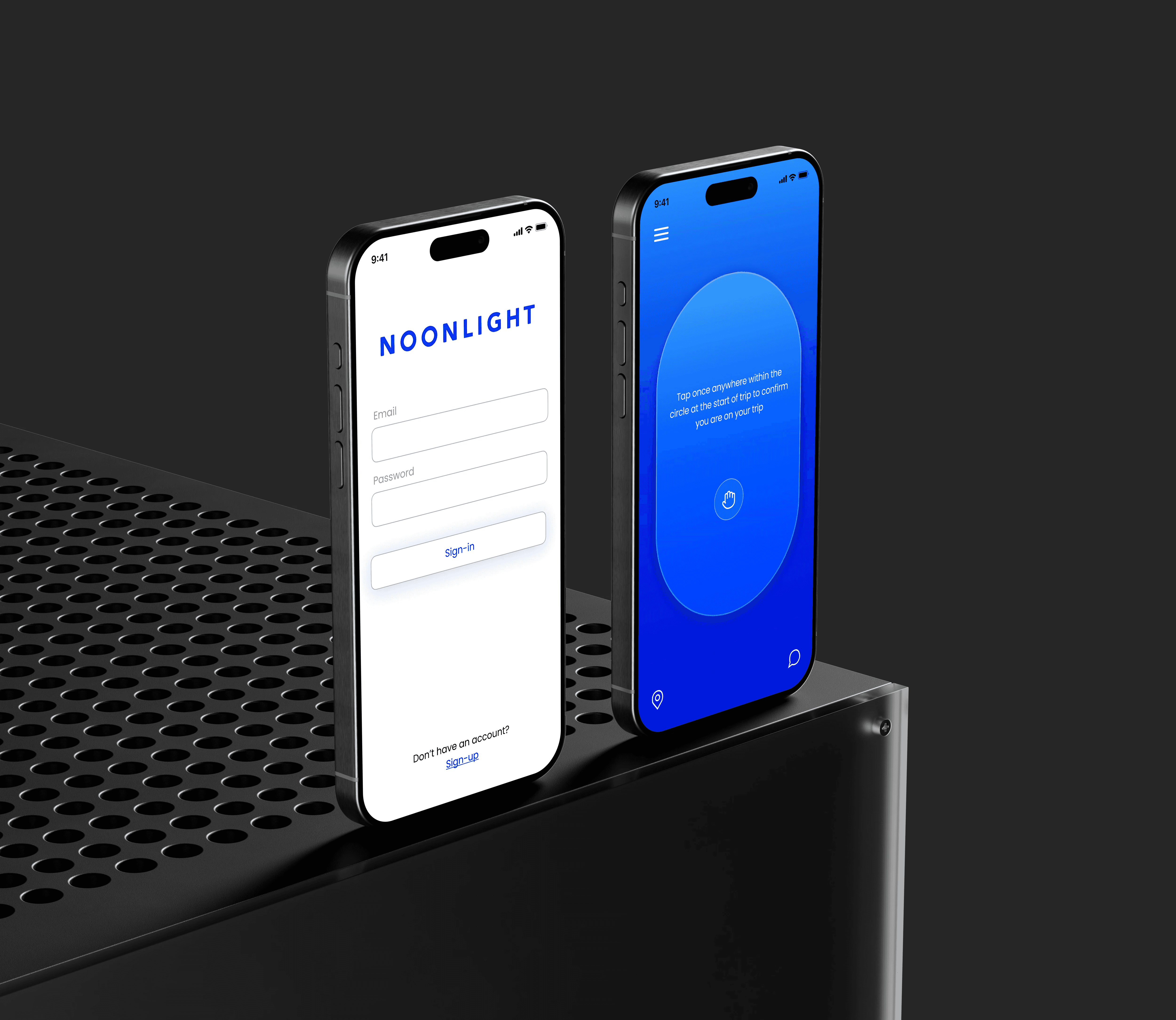
This project reimagines the Noonlight app with a focus on clarity, speed, and user confidence in high-stress situations. The goal was to create a more intuitive and accessible experience that allows users to quickly understand and activate key safety features without hesitation. Every design decision was centered around reducing cognitive load, ensuring that critical actions are immediately visible and easy to use when it matters most.
The interface was simplified through a clear visual hierarchy, streamlined navigation, and larger, more prominent interactive elements to support quick decision-making. Core features were reorganized to be more accessible, minimizing unnecessary steps and making emergency functions more direct. Subtle visual cues and consistent design patterns guide users through the app, reinforcing a sense of control and reliability.
The overall design balances urgency with calmness, using a minimal and focused aesthetic to avoid overwhelming the user while still communicating importance. This redesign emphasizes trust, efficiency, and usability, resulting in a safety app experience that feels dependable, immediate, and easy to navigate in critical moments.
Noonlight App Redesign
This project reimagines the Noonlight app with a focus on clarity, speed, and user confidence in high-stress situations. The goal was to create a more intuitive and accessible experience that allows users to quickly understand and activate key safety features without hesitation. Every design decision was centered around reducing cognitive load, ensuring that critical actions are immediately visible and easy to use when it matters most.
The interface was simplified through a clear visual hierarchy, streamlined navigation, and larger, more prominent interactive elements to support quick decision-making. Core features were reorganized to be more accessible, minimizing unnecessary steps and making emergency functions more direct. Subtle visual cues and consistent design patterns guide users through the app, reinforcing a sense of control and reliability.
The overall design balances urgency with calmness, using a minimal and focused aesthetic to avoid overwhelming the user while still communicating importance. This redesign emphasizes trust, efficiency, and usability, resulting in a safety app experience that feels dependable, immediate, and easy to navigate in critical moments.
The Problem
The Problem
Many personal safety apps rely on complex navigation or delayed response systems, which can be difficult to use in high-stress situations. When users feel unsafe, they need a way to communicate quickly and clearly without thinking through multiple steps. The challenge was to design a system that allows users to signal their safety status instantly, while still providing deeper layers of support when needed.
Many personal safety apps rely on complex navigation or delayed response systems, which can be difficult to use in high-stress situations. When users feel unsafe, they need a way to communicate quickly and clearly without thinking through multiple steps. The challenge was to design a system that allows users to signal their safety status instantly, while still providing deeper layers of support when needed.
Design Direction
Design Direction
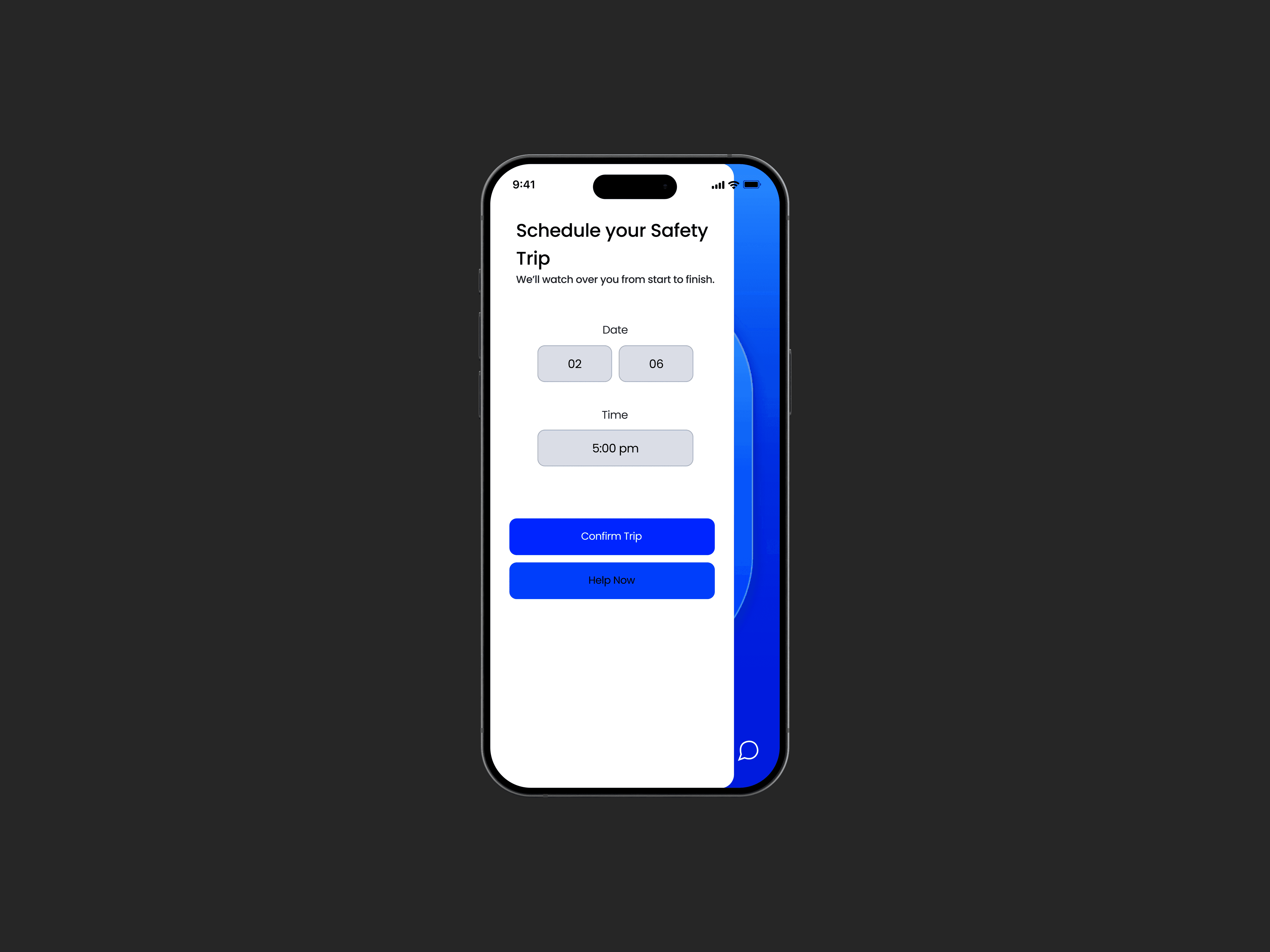
The core concept is a tap-based interaction system centered around a single primary button. This system allows users to communicate different levels of urgency through simple gestures:
Single tap: Confirms safety
Double tap: Signals discomfort or potential risk
Triple tap: Alerts emergency services
The core concept is a tap-based interaction system centered around a single primary button. This system allows users to communicate different levels of urgency through simple gestures:
Single tap: Confirms safety
Double tap: Signals discomfort or potential risk
Triple tap: Alerts emergency services
Information Architecture
Information Architecture
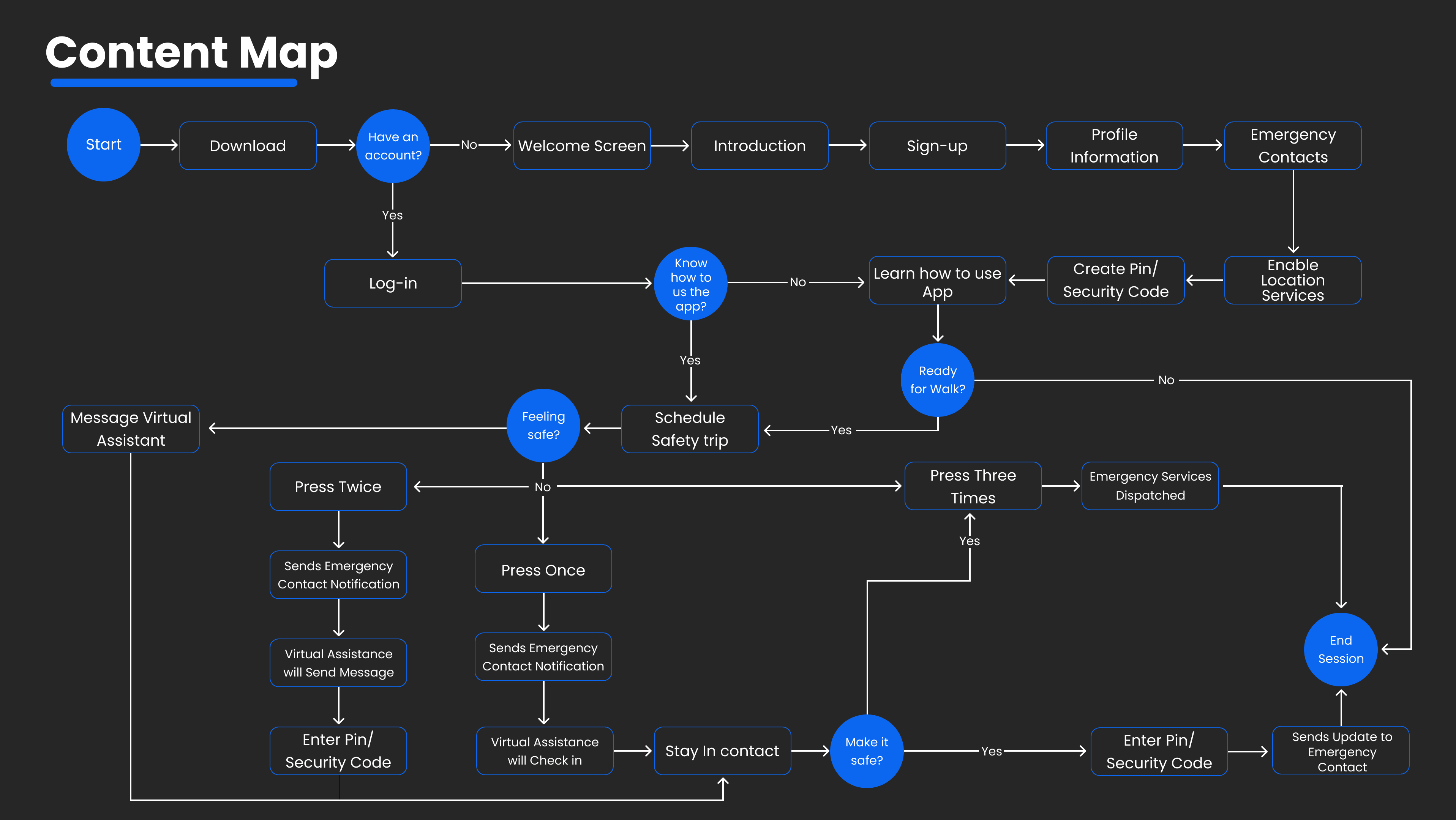
The app structure was designed to support both immediate action and ongoing safety tracking. Core features are organized to prioritize quick access while still allowing users to engage with additional tools when needed.
The app structure was designed to support both immediate action and ongoing safety tracking. Core features are organized to prioritize quick access while still allowing users to engage with additional tools when needed.
Key Factors
Key Factors
Tap-Based Safety System
A single-button interaction allows users to communicate safety levels quickly and intuitively.
Trip Scheduling & Tracking
Users can plan trips and share real-time location updates with trusted contacts.
Emergency Contact Integration
In high-risk situations, alerts are automatically sent to selected contacts and emergency services.
Style Guide
Final Design
Final Design
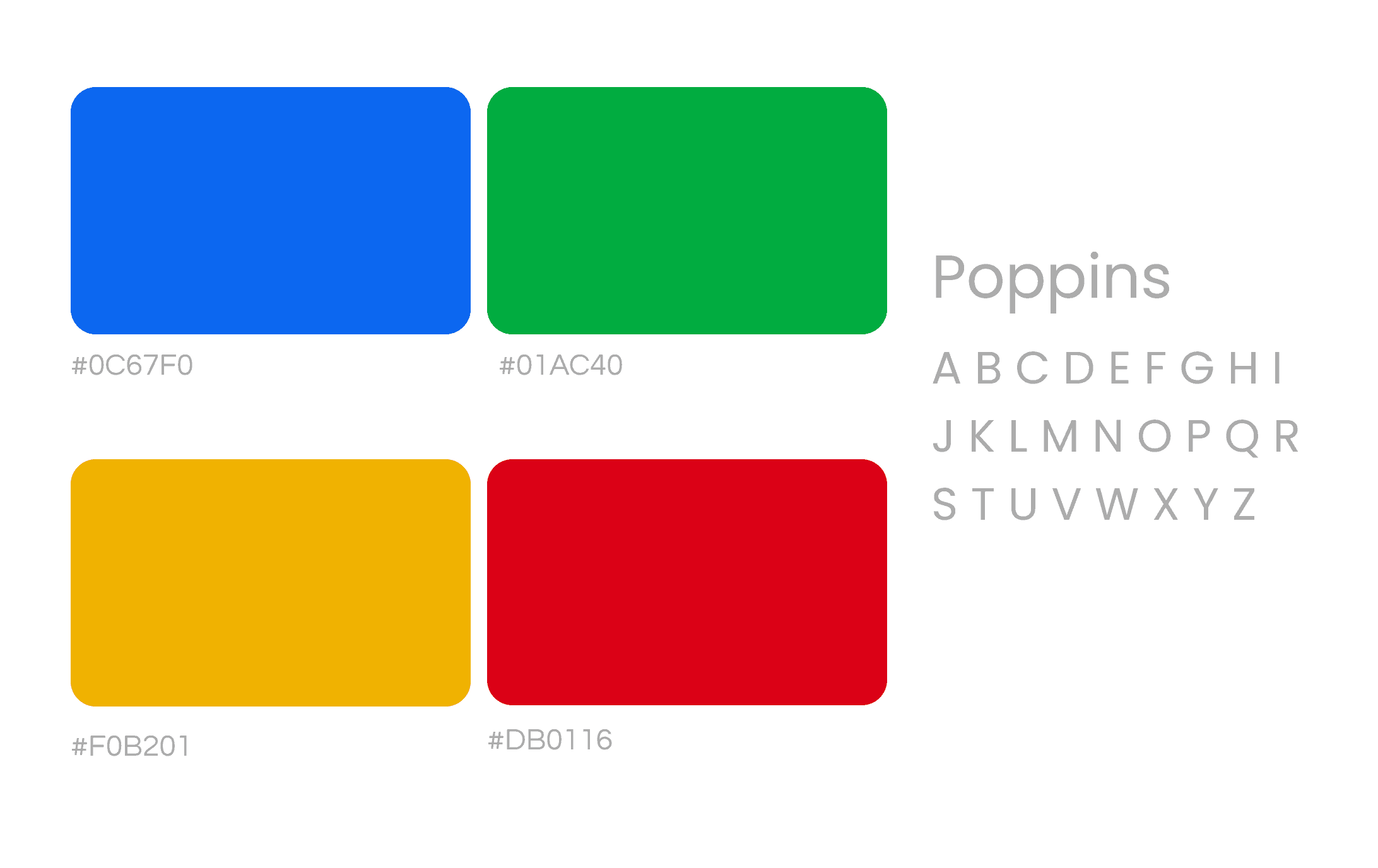
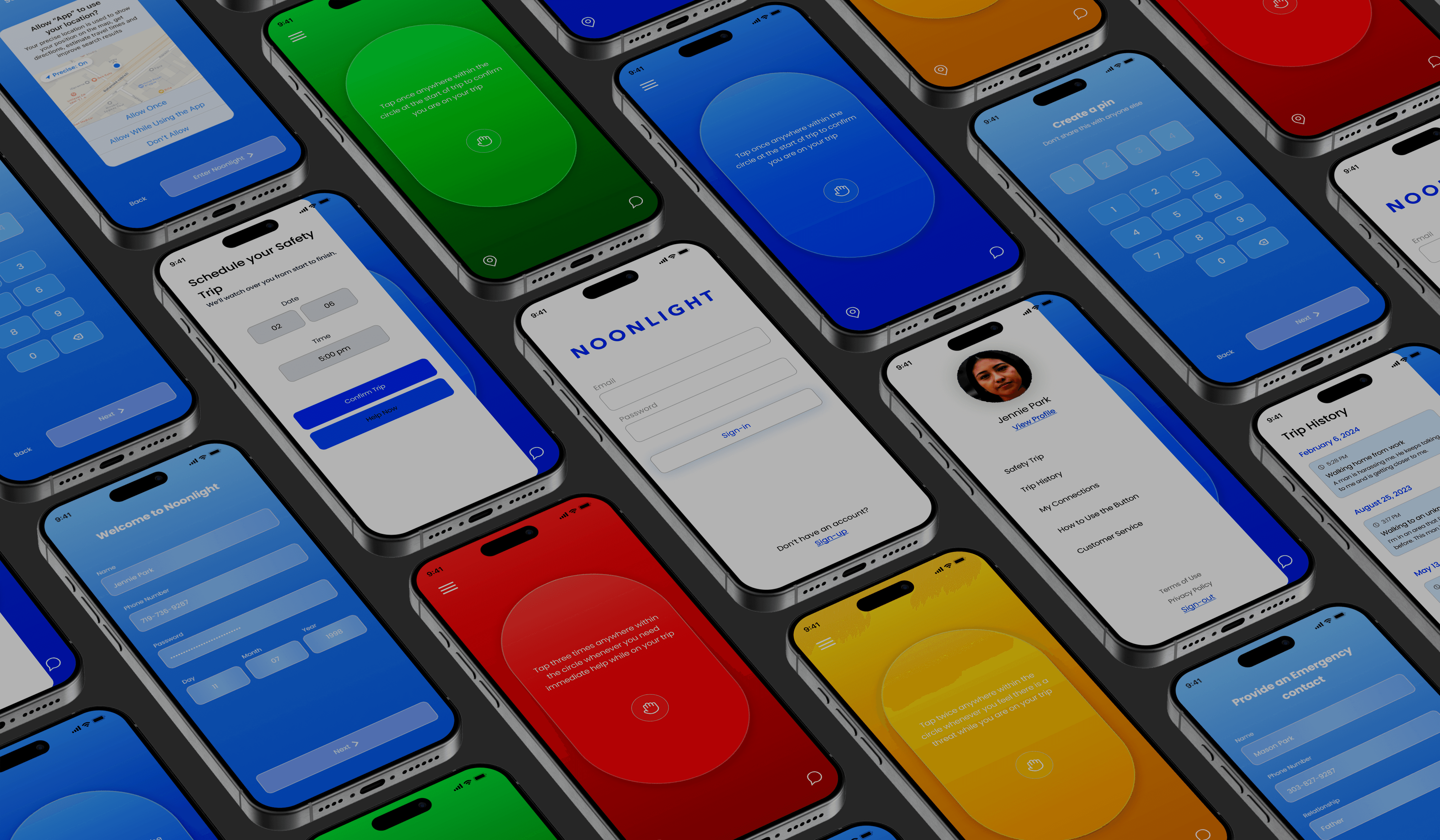
The final interface emphasizes clarity, responsiveness, and emotional reassurance. Each screen is designed to support quick decision-making while maintaining a calm and controlled visual environment.
The final interface emphasizes clarity, responsiveness, and emotional reassurance. Each screen is designed to support quick decision-making while maintaining a calm and controlled visual environment.
Outcome
Outcome
This project explores how interaction design can directly impact user safety. By simplifying communication into a single gesture-based system, the app reduces hesitation and enables faster responses in critical moments.
It highlights my ability to design for high-pressure scenarios, balancing emotional reassurance with functional clarity to create a system users can rely on when it matters most.
This project explores how interaction design can directly impact user safety. By simplifying communication into a single gesture-based system, the app reduces hesitation and enables faster responses in critical moments.
It highlights my ability to design for high-pressure scenarios, balancing emotional reassurance with functional clarity to create a system users can rely on when it matters most.